CentOS
How To Monitor Disk Load in Linux
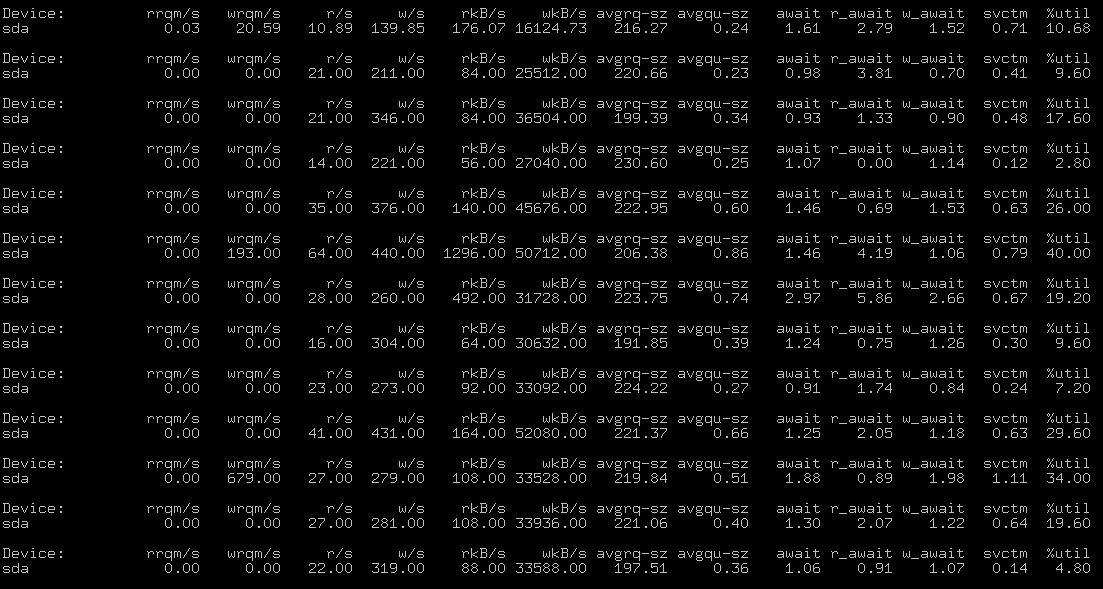
How To Monitor Disk Load in Linux iostat utility will help measure and monitor hard drive load: # iostat -dx /dev/sda 5 As result you can see output: How to Securely Wipe Hard Drive in Linux

CentOS
How To Monitor Disk Load in Linux iostat utility will help measure and monitor hard drive load: # iostat -dx /dev/sda 5 As result you can see output: How to Securely Wipe Hard Drive in Linux
Linux
How to fix OpenVAS error: Login failed. OMP service is down Just run two commands from Linux terminal: # openvasmd stop # openvasmd start If you like what you are reading, please: Buy me a coffee
CentOS
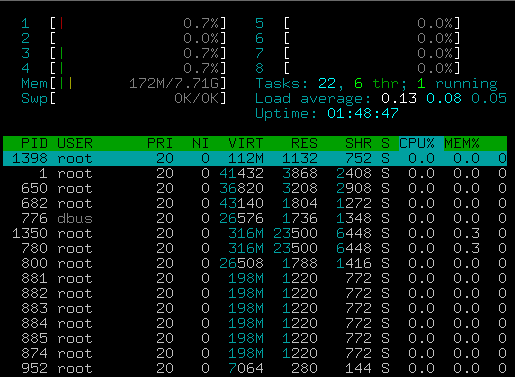
How To Install Htop on CentOS 7 In this article I will show how to Install htop on CentOS 7 Linux from EPEL repository. Htop is a one of the best an alternative tool for Linux top command. By default CentOS7 comes without htop utility. It can be found in
Linux
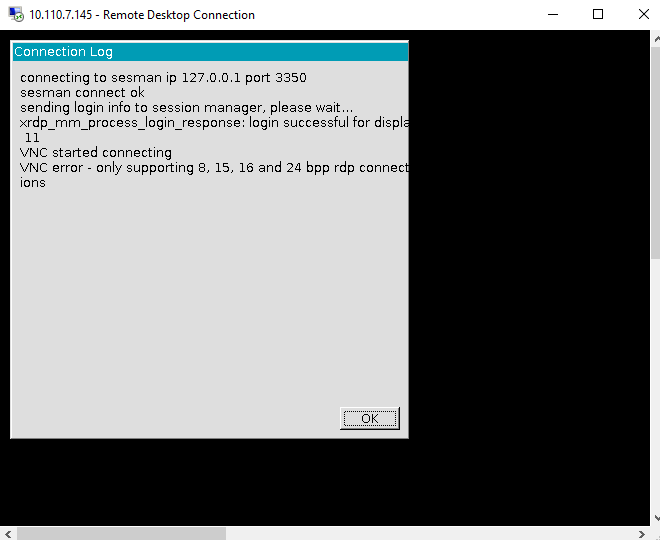
VNC error – only supporting 8,15, 16 and 25 bpp rdp connections During Remote Desktop Connection (RDP) from Windows to Linux you can face with VNC error “only supporting 8,15, 16 and 25 bpp rdp connections” It’s very easy to fix: * Open Windows RDP -> Show options * In
CentOS
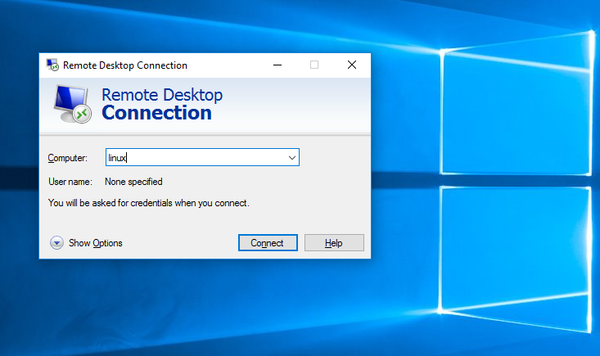
How to Remote Desktop from Windows to Linux You can connect to Linux machine from Windows using standard Windows Remote Desktop Connection (RDP). First we need xrdp package on Linux server. xrdp provides a graphical login to remote machines using RDP (Microsoft Remote Desktop Protocol). xrdp accepts connections from variety

CentOS
In this article i will show how to install tcpdump on Linux (Ubuntu, Redhat) and Capture DHCP requests using tcpdump utility in Linux. DHCP requests can be captured with tcpdump. So first we need install tcpdump utility in our Linux system. Install tcpdump utility Install tcpdump in Ubuntu or Debian
CentOS
How to capture broadcast or multicast packets with tcpdump utility First install tcpdump software: For Ubuntu: # apt-get install tcpdump ForCentOS: # yum install tcpdump Then you can run tcpdump # tcpdump -n "broadcast and multicast" Example output: Discuss article in ArsTech Forum If you like what you are reading,
CentOS
How to Create Virtual Interface on CentOS 6 Linux Creating Virtual Interface and Assign Multiple IP Addresses Let’s assume you want create new virtual interface ifcfg-eth0:0 device and assign new IP 10.10.10.20 Network device files are located in /etc/sysconfig/network-scripts/ directory. # cd
CentOS
How to Remove CentOS old kernels or CentOS freeing up disk space 1. Check currently list of installed Linux kernels with RPM command #rpm -q kernel kernel-2.6.32-573.12.1.el6.i686 kernel-2.6.32-573.18.1.el6.i686 kernel-2.6.32-573.22.
Linux
How to find installation date Linux The easiest way – determine when the file system was created # tune2fs -l /dev/sda1 | grep 'Filesystem created:' Filesystem created: Wed Apr 6 11:19:06 2016

CentOS
In this article i will show how to know monitor who is pinging my server with tcpdump Linux utility. tcpdump packet analyzer. In our case it will help us figure out the IP address where the ICMP requests come from. If you dont have installed tcpdump on your server please
CentOS
Configure SNMP on Linux Ubuntu and Redhat Configure SNMP on Debian or Ubuntu To install SNMP agent (snmpd) on a Debian-based system, run the following command: apt-get install snmpd Then edit its configuration of /etc/snmp/snmpd.conf file. # Listen for connections from the local system only agentAddress