
Linux
How To Disable Linux Swap
How To Disable Linux Swap Identify configured swap devices and files: # cat /proc/swaps Turn off all swap devices and files: # swapoff -a Remove any matching reference found in file: # /etc/fstab Then reboot server

Linux
How To Disable Linux Swap Identify configured swap devices and files: # cat /proc/swaps Turn off all swap devices and files: # swapoff -a Remove any matching reference found in file: # /etc/fstab Then reboot server

FFmpeg
How To Automatically Restart FFmpeg Linux On Error Here is example ffmpeg restart script. Create new script, for example ffmpeg_start.sh and make that script executable: # chmod +x ffmpeg_start.sh Edit file ffmpeg_start.sh and add next commands: #!/bin/bash cmd="ffmpeg YOUR_FFMPEG_COMMAND"

Linux
How to Delete Deferred Zimbra Queue Messages To delete all messages from Deferred Zimbra Mail server Queue run command: $ sudo /opt/zimbra/common/sbin/postsuper -d ALL deferred How to delete Zimbra mail server Postfix queue To delete ALL messages from Zimbra mail server Postfix queue execute command: $ sudo /opt/

CentOS
How To Measure Disk Performance IOPS With Fio in Linux The Fio is one of the best disk performance and benchmarking utility for Linux. The Fio is a free and open source. IOPS (Input/Output Operations Per Second) is a common performance measurement used to benchmark computer storage devices like
CentOS
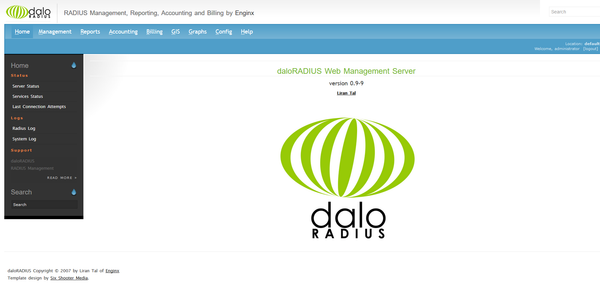
Daloradius Installation on CentOS 7 FreeRADIUS, the open source implementation of RADIUS, an IETF protocol for AAA (Authorisation, Authentication, and Accounting). Disable SELinux # setenforce 0 Edit file /etc/selinux/config and set: SELINUX=disabled Install MariaDB/MySQL Edit MariaDB.repo file: # vi /etc/yum.repos.d/MariaDB.repo [mariadb] name=
FFmpeg
Restarting FFMPEG Using Monit How to monitoring and restarting ffmpeg using “Monit” utility. Monit is a free, open source process supervision tool for Unix and Linux. With Monit, system status can be viewed directly from the command line, or via the native HTTP(S) web server. Create FFMPEG Start Script

CentOS
Zimbra Fail2ban Setup How to install and configure Fail2ban for Zimbra mail server on CentOS. Fail2Ban is an intrusion prevention software framework that protects computer servers from brute-force attacks. Install Fail2ban on CentOS 7: Ensure your system is up to date and install the EPEL repository: # yum update # yum install
Linux
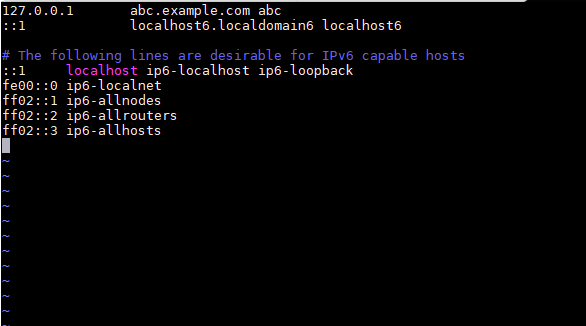
Setup FQDN for Ubuntu 18.04 LTS The Fully Qualified Domain Name (FQDN) of the system is the name that the resolver returns for the host name. You can check the FQDN using commend: hostname –fqdn or hostname -f. The domain name using: dnsdomainname command. Example: 127.0.1.1

Linux
Install Apache Tomcat on Ubuntu 18.04 LTS Apache Tomcat is an open-source software implementation of the Java Servlet and Java Server Pages technologies. With this guide, you’ll run applications within Tomcat using the OpenJDK implementation of the Java development environment. Before You Begin * Make sure following commands to

CentOS
How to install Phoronix Test Suite on CentOS The Phoronix Test Suite is Open-Source Automated testing and benchmarking platform. The Phoronix Test Suite has access to more than 450 test profiles and over 100 test suites via OpenBenchmarking.org. First install all the necessary dependencies for Phoronix test suite # yum

Linux
Why Use SSH Public Key Authentication instead of Passwords? Password-based SSH access is easily targeted by brute-force and credential-stuffing attacks. Public key authentication is significantly more secure because there’s no password to guess — only a private key you hold. Step 1: Prepare Your Remote Server Log into your remote

Linux
Second Network Card Not Being Detected You have dual onboard NIC and ifconfig displays only one interface (eno1) in Ubuntu. eno1 is embedded (onboard) Network Interface Card. * Make sure Linux able “see” your networking hardware sudo lspci | grep Ether * Add eno2 in Interfaces file: /etc/network/interfaces auto eno2 iface