T38 FAX Cisco SPA122 Configuration


T38 FAX. Cisco SPA122 Configuration
How to enable T38 FAX support on Cisco SPA122 VoIP adapters.
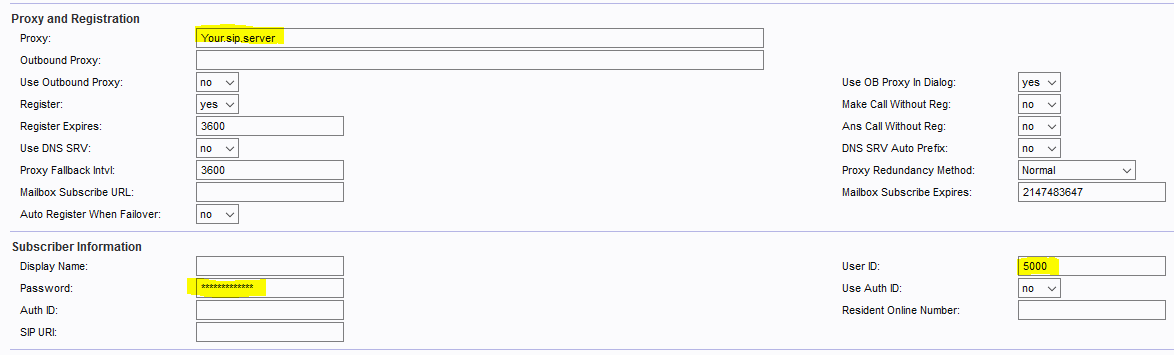
Proxy and Registration
In “Proxy and Registration” and “Subscriber Information” fill
Proxy: YourSIP.Server
User ID: SIP Username
Password: SIP Password
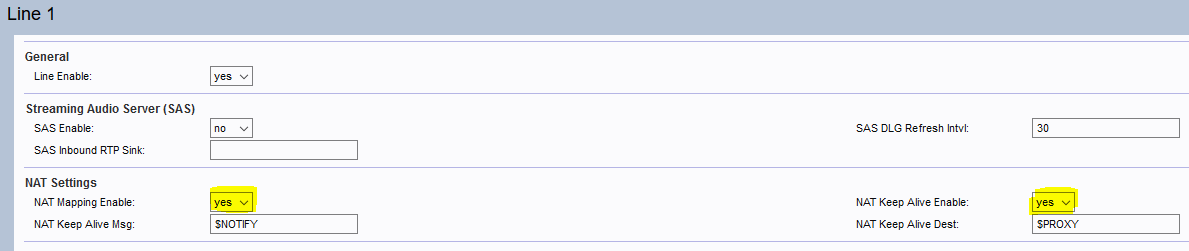
NAT Settings
Goto Voice –> Line 1 or Line 2 depending your lines configuration:
NAT Mapping Enable: Yes
NAT Keep Alive Enable: Yes
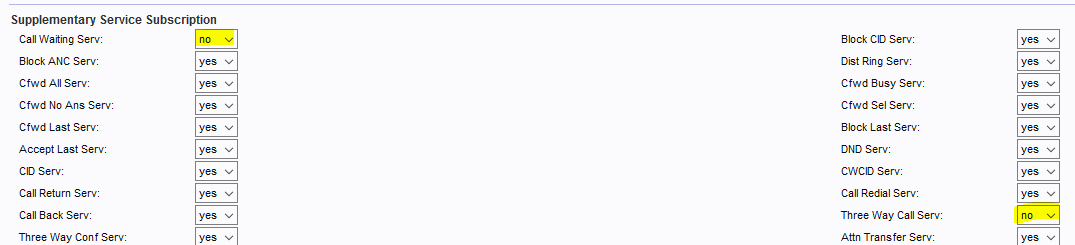
Supplementary Service Subscription
In the “Supplementary Service Subscription” turn off “Call Waiting” and “Tree Way Call”:
Call Waiting Serv: No
Three Way Call Serv: No
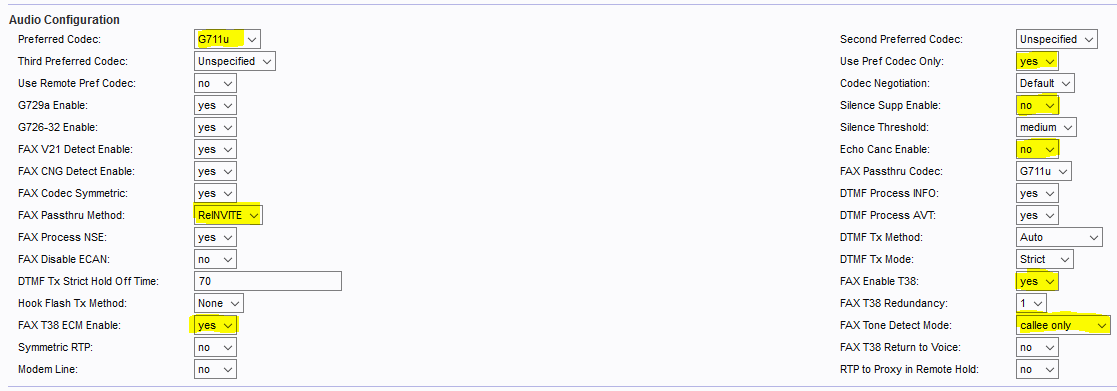
Audio Configuration
In the “Audio Configuration“:
Preferred Codec: G.711u or G.711a
Use Pref Codec Only: Yes
Silence Supp Enable: No
Echo Canc Enable: No
FAX Passthru Method: ReINVITE
FAX Enable T38: Yes
FAX T38 ECM Enable: Yes
FAX Tone Detect Mode: Calee only