Supabase RLS checklist for AI-built apps: stop leaking user data before launch
Supabase makes it easy to build fast, but a public anon key with weak RLS can expose real user data. Use this checklist before launching an AI-built app.

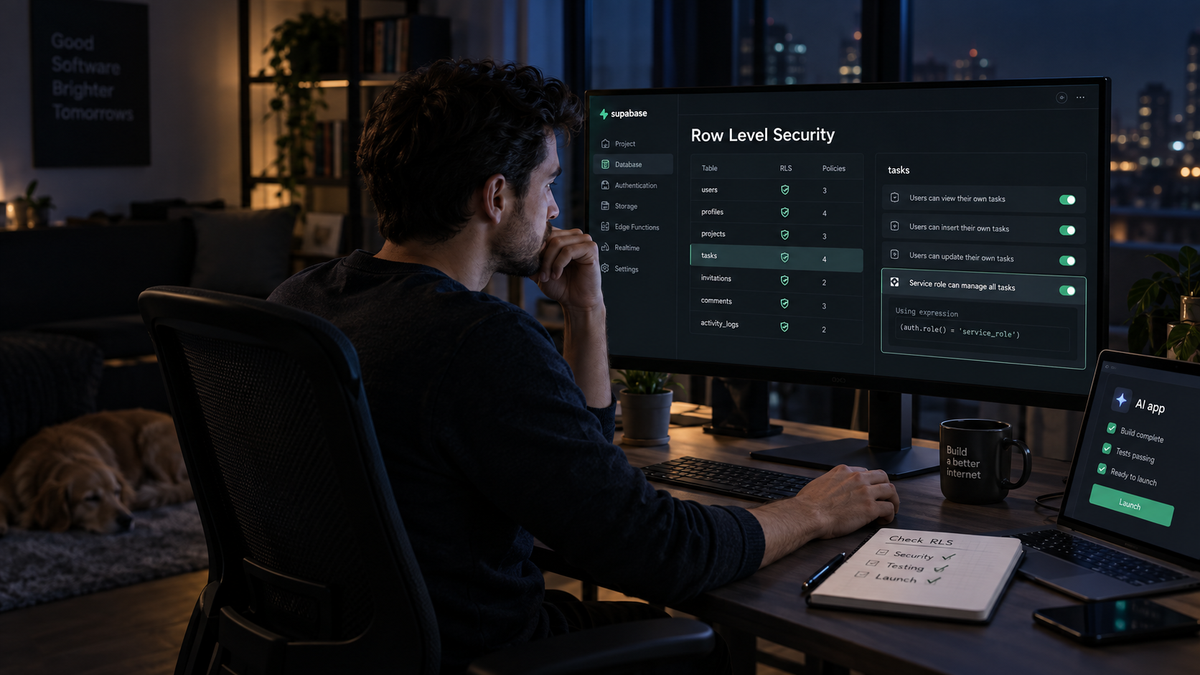
Supabase is one of the easiest ways to give an AI-built app a real backend. That is why it shows up everywhere in projects built with Lovable, Bolt, Cursor, Replit, v0, and Claude Code.
You get authentication, Postgres, storage, edge functions, and a JavaScript client without spending a week wiring infrastructure together. For a prototype, it feels almost too good.
The catch is simple: Supabase is safe only when your database rules are safe.
A lot of new builders misunderstand the public anon key. They see it in frontend code and assume something is already wrong. In most Supabase apps, the anon key is supposed to be public. The real question is what that key is allowed to do.
If Row Level Security is off, or if the policies are too loose, the public key can become a front door into your data.
That is where AI-built apps get risky. The app can look polished. Login can work. The dashboard can show the right data during your own test. But if the database policy is wrong, another user may be able to read rows that were never meant for them.
If you want the broader launch review, start with the full AI-built app security checklist.
The short version
Before launch, check these Supabase RLS areas:
| Check | Why it matters |
|---|---|
| RLS enabled on private tables | Without RLS, table permissions may be far too broad |
| anon access tested directly | The frontend key is public, so test what it can read |
| user ownership policies | Users should only read and write their own rows |
| tenant or project isolation | One client should not see another client's data |
| insert policies | Users should not create rows for other users or tenants |
| update policies | Users should not edit protected fields like role or plan |
| delete policies | Deletes should be limited or disabled unless required |
| service role key placement | The service role key must never reach the browser |
| storage bucket policies | Private files need rules too, not only database rows |
| admin flows | Admin privileges should not come from client-controlled fields |
| generated SQL migrations | AI-written migrations can silently disable or weaken RLS |
| test accounts | Use two users and try to cross-read data before launch |
First: understand the anon key
The Supabase anon key is not like a Stripe secret key or an OpenAI API key.
In a typical Supabase frontend app, the anon key is expected to be visible in browser code. It identifies the project and gives the client access to whatever your database policies allow.
That last sentence is the important part.
If your policies allow public reads, the anon key can read public data. If your policies allow authenticated users to read their own rows, the anon key plus a valid user session can read that user's rows. If your policies are broken, the anon key may read more than you intended.
So do not ask only: "Is my Supabase key exposed?"
Ask this instead:
What can a stranger do with my public Supabase key?
What can a logged-in user do with their normal session?
Can User A read or change User B's data?
That is the real test.
1. Turn on RLS for every private table
In Supabase, Row Level Security is controlled per table. For any table that stores user, customer, project, payment, message, file, or private app data, RLS should be enabled.
Common private tables include:
profiles
users
projects
teams
organizations
clients
orders
payments
subscriptions
messages
documents
files
api_keys
invoices
If a table contains anything user-specific, client-specific, or business-sensitive, do not leave it open.
Check in the Supabase dashboard:
- Go to Table Editor.
- Open each private table.
- Check whether RLS is enabled.
- Review the policies attached to that table.
You can also check in SQL:
select schemaname, tablename, rowsecurity
from pg_tables
where schemaname = 'public'
order by tablename;
rowsecurity should be true for private tables.
2. Do not trust the app UI as proof
A common mistake is testing only through the app.
You sign in as yourself. You see your own projects. Everything looks fine. That does not prove the database rules are correct. It only proves the frontend chose to show your own data.
A bad app can hide other users' data in the UI while the API still allows direct access.
Test the backend directly.
At minimum, create two test accounts:
[email protected]
[email protected]
Give Alice a project and Bob a project. Then test whether Bob can read Alice's rows by changing IDs, calling API routes directly, or using the Supabase client with Bob's session.
If Bob can read Alice's rows, the app is not ready.
3. Write select policies that include ownership
A safe read policy usually includes the current authenticated user.
For a simple user-owned table, the policy might look like this:
create policy "Users can read their own projects"
on projects
for select
to authenticated
using (user_id = auth.uid());
The exact column may be different in your app. It might be profile_id, owner_id, created_by, or user_id. The key idea is the same: a user should not read rows unless the row belongs to them or to a tenant they are a member of.
Be careful with policies like this:
using (true)
That means every row is readable for the role covered by the policy. Sometimes that is fine for public content. It is not fine for private dashboards, customer records, orders, messages, or internal tools.
4. Check tenant isolation for teams, agencies, and client portals
Many SaaS apps are not just user-owned. They are tenant-owned.
Examples:
- an agency has many clients
- a company has many team members
- a workspace has many projects
- a client portal has many documents
- a support dashboard has many customer records
In that case, checking only user_id = auth.uid() may not be enough. You need membership-based policies.
A simplified pattern:
create policy "Members can read organization projects"
on projects
for select
to authenticated
using (
  organization_id in (
    select organization_id
    from organization_members
    where user_id = auth.uid()
  )
);
The important test is practical: create two organizations or workspaces, then try to access data across them.
If changing a URL from /projects/abc to /projects/xyz shows another tenant's data, stop and fix it.
5. Lock down insert policies
Read policies get most of the attention, but insert policies can be just as dangerous.
A user should not be able to create a row owned by someone else.
Bad pattern:
with check (true)
Better pattern for simple ownership:
with check (user_id = auth.uid())
For tenant apps, check that the user is allowed to create rows inside that organization, workspace, or project.
Also avoid trusting user-controlled fields for sensitive values. A client should not be able to submit this and become an admin:
{
  "role": "admin",
  "plan": "agency",
  "is_admin": true
}
Sensitive fields should be set by server-side code, not by the browser.
6. Restrict updates to safe fields
Update policies need two checks:
- Can the user update this row?
- What fields can the user change?
RLS can decide which rows are updateable, but it does not automatically protect every column from bad business logic.
For example, this may be unsafe:
using (user_id = auth.uid())
with check (user_id = auth.uid())
It limits updates to the user's own profile, but the app may still allow the user to update fields like:
role
plan
is_admin
stripe_customer_id
subscription_status
email_verified
Field-level control often belongs in your API route or server action. Do not pass the entire request body into an update call without filtering allowed fields.
Bad application pattern:
await supabase
  .from('profiles')
  .update(req.body)
  .eq('id', user.id)
Safer pattern:
const allowed = {
  display_name: body.display_name,
  avatar_url: body.avatar_url,
};

await supabase
  .from('profiles')
  .update(allowed)
  .eq('id', user.id);
7. Be careful with delete policies
Most apps do not need broad client-side delete permissions.
Before allowing deletes, ask:
- Should users be able to delete this row permanently?
- Should this be a soft delete instead?
- Should only an owner or admin be able to delete it?
- Could a user delete another tenant's data by changing an ID?
- Are related files, child records, or audit logs affected?
For early SaaS apps, it is often safer to handle important deletes through a server route that checks ownership and business rules carefully.
8. Never expose the service role key
The service role key bypasses RLS. Treat it like a master key.
It should never appear in:
frontend JavaScript
NEXT_PUBLIC_* variables
mobile app bundles
client-side code
GitHub commits
public logs
browser network requests
Search your codebase and deployment settings for:
SUPABASE_SERVICE_ROLE_KEY
service_role
sb_secret_
If the service role key was exposed, rotate it.
Use it only on trusted server-side code, and only when you actually need elevated access.
9. Check storage bucket policies
Supabase Storage has its own access rules. Do not secure the database and forget the files.
Check each bucket:
- Is the bucket public or private?
- Should uploaded files be readable by anyone?
- Can users list files from other users or tenants?
- Can users overwrite or delete files they do not own?
- Are file paths based on user IDs or tenant IDs?
A common safe pattern is to store files under a user or tenant prefix and enforce that prefix in the policy.
Example idea:
/user-id/file.pdf
/organization-id/project-id/file.pdf
Then write policies that check the path belongs to the current user or tenant.
10. Review generated migrations before applying them
AI tools can generate SQL that looks reasonable but weakens security.
Look carefully for:
alter table ... disable row level security;

grant all on table ... to anon;

grant select on table ... to anon;

create policy ... using (true);

create policy ... with check (true);
Sometimes those lines are fine for public tables. Sometimes they are a data leak waiting to happen.
Do not apply generated migrations blindly. Read them like production code, because they are production code.
11. Test unauthenticated access
Use a logged-out session and the public anon key to test common tables.
You are looking for this kind of problem:
A stranger can read profiles.
A stranger can read orders.
A stranger can read project records.
A stranger can list private files.
A stranger can insert rows into tables that should require login.
Public marketing content is different. If you have a posts table for a public blog or a products table for a public catalog, open reads may be fine. The point is to separate public data from private data intentionally.
12. Test authenticated cross-user access
This is the test many teams skip.
Create two users:
Alice owns Project A.
Bob owns Project B.
Then try:
- Bob reads Project A
- Bob updates Project A
- Bob deletes Project A
- Bob downloads Alice's files
- Bob changes Alice's profile ID in an API request
- Bob accesses Alice's project through a guessed URL
The app should refuse all of it.
If you only do one serious RLS test before launch, do this one.
13. Watch for admin logic in the browser
Do not let the frontend decide who is an admin.
Bad signs:
if (user.email === '[email protected]') {
  showAdminPanel();
}
or:
if (profile.role === 'admin') {
  allowDangerousAction();
}
Showing or hiding UI is not security. The server and database policies must enforce admin access.
If you have admin features, check:
- admin API routes verify admin status server-side
- normal users cannot update their own role
- admin-only database operations are not exposed through broad client policies
- admin pages do not leak data before redirecting
14. Avoid one giant policy for everything
It is tempting to create a broad policy to make the app work:
create policy "Allow authenticated users"
on projects
for all
to authenticated
using (true)
with check (true);
That is usually not a policy. It is a bypass with a nice name.
Use separate policies for select, insert, update, and delete. Each action has different risks.
For example:
select: user can read rows in their organization
insert: user can create rows only in organizations they belong to
update: user can update rows only if they have editor/admin role
delete: only owner/admin can delete, or deletes are server-only
This takes longer than a single broad policy. It also prevents the most expensive mistakes.
15. Keep a small RLS test script
If your app matters, do not rely only on manual clicking.
Create a small test script that checks basic access rules with two test users. It does not need to be fancy. It should answer:
Can anonymous users read private tables?
Can User A read User B's rows?
Can User A update User B's rows?
Can a normal user set admin-only fields?
Can a user access another tenant's files?
Run it before launch and after major schema changes.
AI-built apps change quickly. RLS tests give you a way to catch regressions before users do.
Example pre-launch Supabase test plan
Use this as a simple launch checklist:
- List all tables in the public schema.
- Mark each table as public or private.
- Confirm RLS is enabled on private tables.
- Review every
using (true)andwith check (true)policy. - Create Alice and Bob test accounts.
- Create private rows for each user.
- Try to read Alice's data as Bob.
- Try to update Alice's data as Bob.
- Try unauthenticated reads with the anon key.
- Test storage bucket access.
- Search the codebase for the service role key.
- Review generated migrations before deployment.
If any step fails, fix it before launch.
Common RLS mistakes in AI-built apps
The same patterns show up often:
- RLS is enabled on some tables but not all private tables
- policies allow all authenticated users to read all rows
- inserts trust
user_idfrom the browser - updates allow users to change protected fields
- admin checks live only in frontend code
- storage buckets are public because uploads were easier that way
- generated migrations add broad grants to
anonorauthenticated - the service role key is placed in a public environment variable
- the app checks login but not tenant ownership
None of these are exotic attacks. They are the kind of mistakes that happen when the app is built quickly and the security model is reviewed later.
FAQ
Is the Supabase anon key safe to expose?
Yes, in normal Supabase frontend apps the anon or publishable key is meant to be public. It is only safe if your RLS policies and storage policies are correct. Do not expose the service role key.
Should every table have RLS enabled?
Every private table should. Public content tables may intentionally allow public reads, but that should be a conscious choice, not a default accident.
Does Supabase Auth automatically protect my tables?
No. Supabase Auth identifies the user. RLS policies decide which rows that user can read, insert, update, or delete.
Can AI tools write good RLS policies?
They can help draft them, but you still need to review and test them. RLS policies are business logic. The AI does not always know who should own which row or how your tenant model works.
What is the most important RLS test?
Create two users and make sure one cannot read or modify the other's private data. That catches a large class of real SaaS bugs.
Related pre-launch security checks
If your AI-built app also takes payments, check your Stripe webhook security for AI-built apps before launch.
For the broader review, use the full AI-built app security checklist.
Final thought
Supabase is not unsafe. Fast assumptions are unsafe.
The public key is not the main problem. The problem is a public key attached to policies that say too much, trust too much, or were never tested outside the happy path.
Before launch, do the boring test: two users, two records, one attempted cross-read. If that fails, the app is not ready for real data.