php2shell and Node2Shell: how to check and fix your server this weekend
wo critical bugs landed on 21 October 2026: php2shell in PHP and a Brotli RCE in Node.js. Here's how to find every affected server and container, patch it, and check whether anyone got in first.

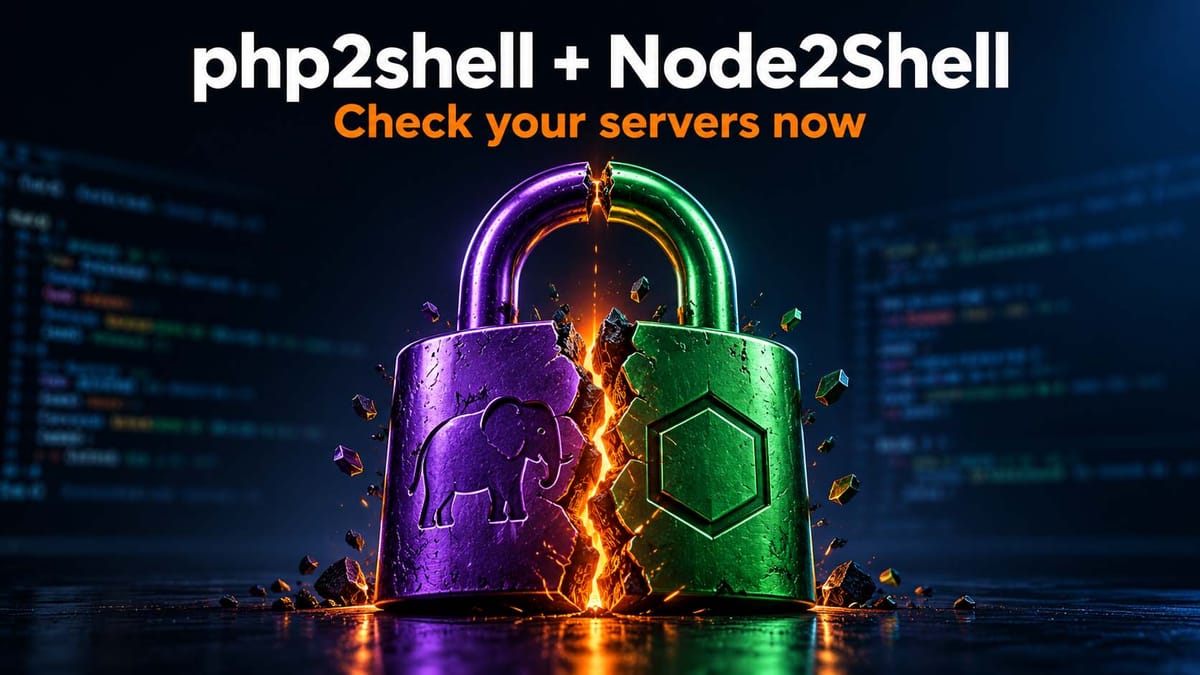
on 21 October 2026, PHP and Node.js both shipped emergency security releases. PHP fixed two critical bugs nicknamed php2shell (CVE-2026-109618 and CVE-2026-109619) that let an attacker run code on your server without logging in. Node.js fixed CVE-2026-111497, a Brotli decoder bug that can also lead to remote code execution. Fixed versions are PHP 8.5.12, 8.4.27, 8.3.36, 8.2.35 and Node.js 22.23.4, 24.22.1, 26.12.1. If you run anything self-hosted, check it today. The commands are below.
I run this blog on Ghost, which is a Node.js app, and I've got the usual pile of side projects, Docker containers and an old WordPress site or two. So this one hit home. Here's what I checked on my own machines, in the order I'd do it again.
What happened on 21 October
php2shell (PHP). Two separate flaws, both rated 9.2 on CVSS v4:
- CVE-2026-109618 is about how PHP handles running out of memory. It can be turned into remote code execution.
- CVE-2026-109619 is a use-after-free: some request state survives longer than the request it belongs to, and an attacker can abuse it.
What makes this nasty is that it doesn't depend on your code. The bug is in PHP itself, so it doesn't matter whether you run WordPress, Laravel, a custom script, or a phpMyAdmin someone set up in 2021 and forgot about. Updating WordPress and every plugin does nothing here.
Details leaked before the coordinated release. watchTowr reported exploitation attempts on its honeypots from the day of the release, other security vendors reported attacks too, and a public proof-of-concept is already on GitHub. Treat it as being exploited.
Node2Shell (Node.js). The same day, Node.js shipped 22.23.4, 24.22.1 and 26.12.1, fixing ten vulnerabilities, four of them rated high. The headline one is CVE-2026-111497, an out-of-bounds write in the Brotli decoder. Feed malformed compressed data to it and you can crash the process, leak memory or, in the worst case, get code execution.
You're exposed if your app decompresses Brotli data from somewhere you don't control. In practice that means:
zlib.brotliDecompress()orcreateBrotliDecompress()on untrusted input- Express 5 / body-parser 2.x, which decode request bodies sent with
Content-Encoding: br fetch()calls to outside servers, becausefetchdecompresses Brotli responses automatically. Webhooks, link previews and anything that fetches a user-supplied URL count here.
A public PoC appeared on 22 October, and researchers reported working code execution against an unpatched Node.js 24 image. There are no workarounds. Upgrading is the fix.
Which versions are safe
| Runtime | Safe from | Notes |
|---|---|---|
| PHP 8.5 | 8.5.12 | Also has an extra mitigation, see below |
| PHP 8.4 | 8.4.27 | |
| PHP 8.3 | 8.3.36 | |
| PHP 8.2 | 8.2.35 | |
| PHP 8.1, 8.0, 7.4 | no new release | Source backports exist; your distro or host may ship a patched package |
| PHP 5.x, 7.0–7.3 | not fixed | Also affected. Move off it or take it offline |
| Node.js 22 | 22.23.4 | |
| Node.js 24 | 24.22.1 | |
| Node.js 26 | 26.12.1 | |
| Node.js 20 and older, 23, 25 | not fixed | End of life. Node 20 reached EOL on 30 April 2026 |
Step 1: check PHP on a server
The PHP that runs your website is often not the same binary you get when you type php in a shell. Check both.
# CLI version
php -v

# Every installed PHP (Debian/Ubuntu keep one folder per version)
ls /etc/php/

# FPM, which is what actually serves the site
php-fpm8.3 -v        # adjust to your version

# Full package revision, this is what matters on distro packages
dpkg -l | grep -E '^ii\s+php[0-9.]+-(fpm|cli|common)'   # Debian/Ubuntu
rpm -qa | grep -E '^php'                               # RHEL/Alma/Rocky
The distro gotcha. Debian, Ubuntu and Red Hat often backport security fixes and keep the old upstream version number. So PHP 8.3.6 from Ubuntu can be fully patched, and the number alone tells you nothing. Look up the full package revision in your vendor's security tracker (for Ubuntu, that's USN-8948-1) and search for both CVE numbers.
On shared hosting, you can't run any of this. Open a ticket and ask: "Which exact PHP build serves my site, and does it include fixes for CVE-2026-109618 and CVE-2026-109619?" Get the answer in writing.
Step 2: patch PHP and restart the workers
# Debian/Ubuntu
sudo apt update && sudo apt upgrade 'php*'

# RHEL/Alma/Rocky
sudo dnf upgrade 'php*'

# Restart. Old FPM workers keep running the vulnerable code until you do
sudo systemctl restart php8.3-fpm
# Apache with mod_php:
sudo systemctl restart apache2
Don't skip the restart. Updating the package doesn't touch processes that are already running, and queue workers or long-running PHP daemons need a restart too.
PHP in Docker: the image keeps whatever PHP it was built with. Rebuild from a fixed tag and recreate the container:
docker exec <container> php -v
docker build --pull --no-cache -t myapp .
docker compose up -d --force-recreate
Can't patch today? The PHP advisory lists temporary mitigations. They cut off specific attack paths but they are not a complete fix:
; CVE-2026-109618
memory_limit = -1

; CVE-2026-109619
session.upload_progress.enabled = 0
; PHP 8.5 only:
fatal_error_backtraces = 0
memory_limit = -1 removes PHP's memory cap, so watch your RAM if you use it. For anything you can't patch at all (PHP 8.1 and older with no vendor package), CISA's advice is to take it offline.
Step 3: check Node.js everywhere it actually runs
node -v on your laptop proves nothing. Check the server and every container.
# On the host
node -v

# Every running container, in one go
for c in $(docker ps -q); do
  echo "$(docker inspect --format '{{.Name}}' $c): $(docker exec $c node -v 2>/dev/null || echo 'no node')"
done
The Docker trap. If your Dockerfile says FROM node:22-alpine, you might assume you're fine because that tag now points to 22.23.4. You aren't, unless you rebuilt after 21 October. The image you built last month still has the old Node inside. Several open source projects found production still running 22.23.2 or 22.23.3 because of exactly this.
Fix it properly:
# Pin the exact version instead of a floating tag
FROM node:22.23.4-alpine
docker build --pull --no-cache -t myapp .
docker compose up -d --force-recreate
docker compose exec app node -v   # must say v22.23.4 or later
The same goes for single executable apps (SEA) and anything else that bundles its own copy of Node: rebuild it.
Distro-packaged Node (Debian, Ubuntu, Fedora, RHEL, Alpine) may use the system Brotli library instead of the bundled one. Update the brotli / libbrotli package as well as Node itself:
sudo apt update && sudo apt install --only-upgrade nodejs libbrotli1
Vercel, Netlify and similar platforms update the runtime for you. Check their status page or changelog instead of your lockfile, and redeploy if they ask you to.
If you self-host Ghost
Ghost runs on Node.js, so this one is on you if you host it yourself.
- Ghost-CLI install: run
node -v. If it's below 22.23.4, upgrade Node through the same source you installed it from (NodeSource, distro packages or nvm), then runghost restart. - Docker: run
docker compose pull, thendocker compose up -d, thendocker compose exec ghost node -v. If the official image hasn't picked up the fixed Node yet, keep checking. Don't assume. - Ghost(Pro): managed, nothing to do on your side.
Step 4: check whether anyone got in first
php2shell leaked before the patch, so "patched today" doesn't mean "clean". If a server ran a vulnerable version while it was reachable from the internet, spend ten minutes on this:
# PHP files that appeared recently in places where they shouldn't
find /var/www -name '*.php' -newermt '2026-10-20' \
  \( -path '*uploads*' -o -path '*cache*' -o -path '*tmp*' \)

# PHP or Node processes that spawned shells or download tools
ps -ef --forest | grep -E -A3 'php-fpm|node' | grep -E 'sh -c|bash|curl|wget'

# New WordPress admins
wp user list --role=administrator --fields=user_login,user_registered
If you find something, or you simply can't rule it out, rotate the secrets that live on that box: database passwords, API keys, Stripe or other payment keys, SMTP credentials and SSH keys. Assume they were read.
Step 5: stop advertising your versions
Hiding the version doesn't patch anything, but there's no reason to tell scanners exactly what to aim at.
; php.ini
expose_php = Off
// Express
app.disable('x-powered-by');
Then check what you send from the outside:
curl -sI https://your-site.com | grep -iE 'x-powered-by|^server'
If you see something like X-Powered-By: PHP/8.3.12, that server goes to the top of your list. If you see nothing, it doesn't mean you're safe, only that the version is hidden. Verify on the server.
Quick checklist
- [ ] PHP on every server: 8.5.12 / 8.4.27 / 8.3.36 / 8.2.35, or a vendor package that names both CVEs
- [ ] PHP-FPM, Apache and PHP workers restarted
- [ ] Node on every host and container: 22.23.4 / 24.22.1 / 26.12.1
- [ ] Docker images rebuilt with
--pull --no-cache, exact Node version pinned - [ ] System
brotlipackage updated where Node comes from the distro - [ ] Nothing left on PHP ≤ 8.1 or Node ≤ 20 without a vendor fix
- [ ] Quick compromise check done, and secrets rotated if in doubt
- [ ]
expose_php = Offandx-powered-bydisabled
FAQ
Does updating WordPress fix php2shell?
No. The bugs are in PHP itself, not in WordPress or its plugins. You need a fixed PHP build on the server.
My host shows PHP 8.3.6 but says it's patched. Who's right?
Possibly both. Linux distributions backport fixes without changing the upstream version number. Ask the host for the full package revision and check it against the vendor security tracker for CVE-2026-109618 and CVE-2026-109619.
I don't use Brotli. Am I safe from CVE-2026-111497?
Probably less safe than you think. fetch() decompresses Brotli responses automatically, and Express 5 decodes Brotli request bodies. Any app that calls outside servers or accepts compressed uploads can be reached. Upgrade anyway, since the same release fixes nine other issues.
Is there a workaround for the Node.js bug?
No. Node.js published no workarounds. Upgrade to 22.23.4, 24.22.1 or 26.12.1, and rebuild your containers.
I'm on Node.js 20. Will there be a fix?
No. Node.js 20 reached end of life on 30 April 2026 and got no fix. Move to Node 22 or 24.
My Dockerfile uses node:22-alpine. Am I patched?
Only if you rebuilt the image after 21 October. Check with docker exec <container> node -v.
Sources
- PHP security advisory, 21 October 2026
- CISA alert: critical PHP vulnerabilities
- watchTowr: php2shell exploitation
- Ubuntu USN-8948-1
- Node.js October 2026 security releases
- Aikido: Node2Shell (CVE-2026-111497)
If you're building with AI tools, my AI-built app security checklist covers what else to check before launch, and this Caddy + Portainer + Docker setup is how I run my own containers. For a quick outside look at a site's headers and exposed versions, I built ClarSeal, but curl -sI above does the basic check for free.