Fujifilm Presets Cheat List: Provia, Velvia, Astia, Classic Chrome & Film Simulation Guide
A complete Fujifilm presets cheat list covering Provia, Velvia, Astia, Classic Chrome, Eterna, Acros and more. Learn when to use each film simulation, how they affect RAW and JPEG files, and which preset works best for portraits, landscapes, street photography, and video.

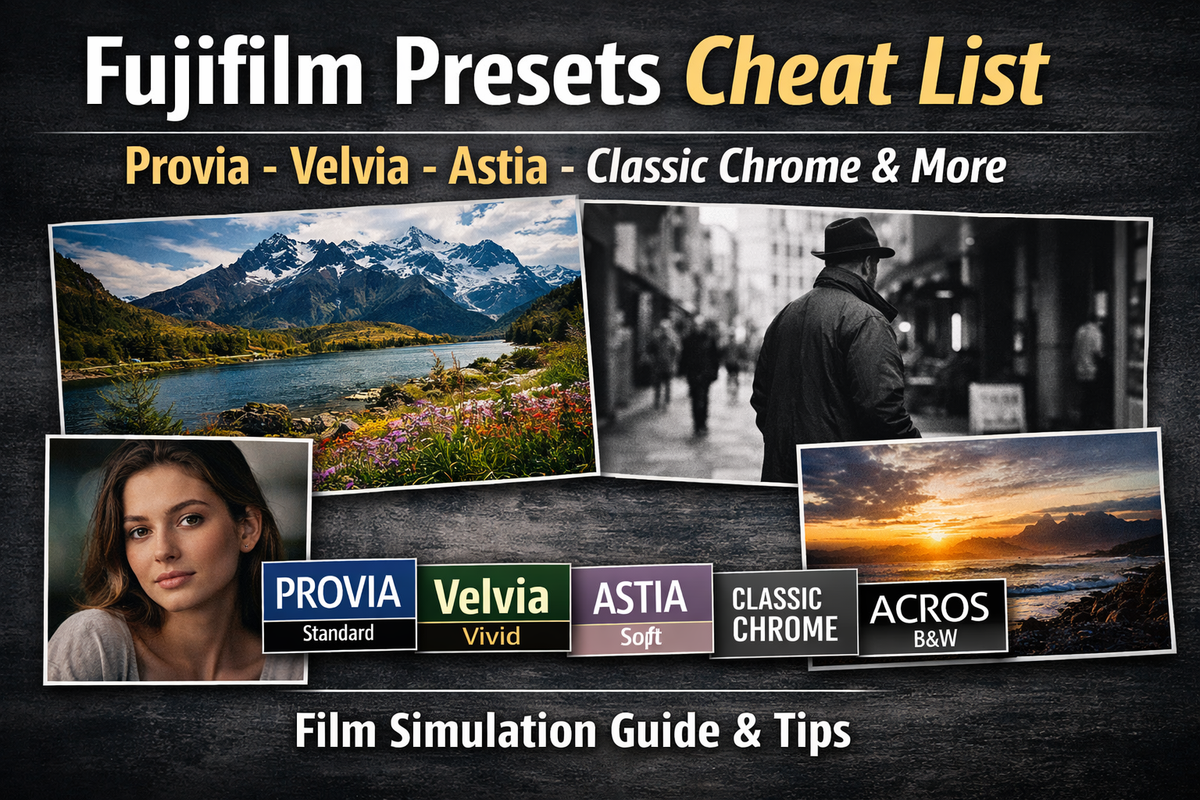
Fujifilm film simulations are one of the main reasons photographers choose Fuji over other camera systems. Unlike generic color profiles, Fuji presets are designed to replicate real film stocks, such as REALA ACE, PRO Neg Std/Hi, Nostalgic Neg, and Eterna Bleach Bypass. But many users don’t fully understand what each mode actually does, when to use it, or how it affects RAW and JPEG files.
This guide breaks down every major Fujifilm film simulation preset in a clear, practical way. If you’re shooting on an X-Series or GFX camera and want a quick-reference cheat sheet for Provia, Classic Chrome, Eterna, Acros, and others — this is it.
You can download a printable Fujifilm presets cheat sheet (PDF) that includes all major film simulations with contrast, saturation, and best-use reference, and keep it in your camera bag for quick, offline access while shooting.
What Are Fujifilm Film Simulations?
Fujifilm film simulations are built-in color profiles inspired by classic Fuji film stocks. They affect:
- Color rendering
- Contrast curve
- Saturation
- Highlight rolloff
- Shadow depth
- Grain structure (if enabled)
These simulations are applied directly to JPEG files and embedded as metadata in RAW files (so you can change them later in Fuji software or Lightroom).
Unlike standard camera profiles (Standard, Portrait, Landscape), Fujifilm simulations are deeply tuned and stylistically distinct.
Fujifilm Film Simulations Cheat Sheet
Provia (Standard)
Best for: Everyday photography, balanced color
Look: Neutral, accurate, moderate contrast
Use when: You want safe, versatile results
Provia is the default film simulation on most Fujifilm cameras. It delivers:
- Accurate skin tones
- Moderate saturation
- Clean highlights
- Balanced shadows
If you’re unsure which preset to use, Provia is the safest option.
Ideal for:
- Travel
- Family photos
- Events
- General shooting
Velvia (Vivid)
Best for: Landscapes, nature
Look: High saturation, strong contrast
Use when: You want dramatic color
Velvia is based on Fujichrome Velvia slide film. It is highly saturated and punchy.
Characteristics:
- Deep blues and greens
- Strong reds
- High micro-contrast
- Darker shadows
Velvia can easily oversaturate skin tones, so avoid it for portraits unless you intentionally want bold color.
Ideal for:
- Mountains
- Sunsets
- Forest scenes
- Seascapes
Astia (Soft)
Best for: Portraits
Look: Soft contrast, gentle color
Use when: You want flattering skin tones
Astia reduces contrast and softens highlights. Skin tones look smoother compared to Provia.
Characteristics:
- Lower contrast curve
- Slightly muted saturation
- Softer highlight transitions
Astia works well in natural light portraits where harsh contrast would be unflattering.
Classic Chrome
Best for: Documentary, street photography
Look: Muted color, strong tonal depth
Use when: You want cinematic or journalistic feel
Classic Chrome has become one of the most popular Fuji simulations.
Characteristics:
- Muted blues and reds
- Warm shadows
- Strong tonal separation
- Slight desaturation
It mimics magazine-style documentary photography.
Ideal for:
- Street photography
- Travel storytelling
- Urban scenes
- Overcast weather
Reala ACE
Best for: All-purpose “modern color,” travel, people + scenes
Look: Clean, vivid-but-controlled color with refined contrast
Use when: You want a modern, crisp look without Velvia’s extremes
REALA ACE is often described as a “premium standard” option: it keeps color lively but avoids the loudness of Velvia. It’s a strong default if you feel Provia is a little flat and Classic Chrome is too muted.
Watch for: In very bright light, you may want softer highlight settings to keep skies from looking harsh.
PRO Neg. Hi
Best for: Portraits with more pop, fashion/editorial
Look: More contrast and “snap” than PRO Neg. Std
Use when: You want portraits that look more finished straight out of camera
Think of PRO Neg. Hi as “Std, but stronger.” It keeps decent skin behavior while adding contrast and separation.
Watch for: Harsh sunlight can make shadows too deep. If faces go dark, consider lighter shadow settings in your custom recipe.
PRO Neg. Std
Best for: Portraits, natural skin tones, event work
Look: Neutral color, gentle contrast, very usable skin rendering
Use when: You want realistic people photos without drama
PRO Neg. Std is one of Fuji’s most underrated simulations. It’s designed around portrait work and is very tolerant of mixed lighting.
Great for:
- Indoor events
- Family photos
- Natural light portraits
Nostalgic Neg
Best for: Golden hour, lifestyle, cinematic warm scenes
Look: Warm highlights, softer contrast feel, nostalgic color palette
Use when: You want emotional/film-like warmth without heavy saturation
Nostalgic Neg is built for mood. It often looks best when light already has warmth (late afternoon, indoor tungsten, or warm window light).
Watch for: In cold, flat light it can look “off” or too brown. In that case, Classic Chrome or PRO Neg. Std often works better.
Classic Negative
Best for: Lifestyle, retro look
Look: High contrast, nostalgic tones
Use when: You want a 1990s consumer film aesthetic
Classic Negative is based on Fujicolor Superia.
Characteristics:
- Hard contrast
- Cool shadows
- Warm highlights
- Distinct color shifts
It creates a bold, contrast-heavy look with character.
Eterna
Best for: Video and cinematic stills
Look: Flat contrast, subdued color
Use when: You plan to color grade
Eterna was developed for filmmaking.
Characteristics:
- Reduced saturation
- Soft highlights
- Extended dynamic range feel
- Gentle shadow rolloff
If you're shooting video on Fujifilm, Eterna is often the best starting point.
Eterna Bleach Bypass
Best for: Dramatic scenes
Look: Desaturated, high contrast, gritty
Use when: You want a stylized cinematic effect
Characteristics:
- Low saturation
- Strong contrast
- Metallic tone
- High texture visibility
Not ideal for everyday shooting, but excellent for moody projects.
Acros (Black & White)
Best for: Fine art, portraits
Look: Deep blacks, rich tonal transitions
Use when: You want high-quality monochrome
Acros is superior to the standard Monochrome mode.
Characteristics:
- Strong micro-contrast
- Smooth tonal gradation
- Film-like grain option
- Filter options (Ye, R, G)
Acros + Red filter increases contrast dramatically.
Acros + Green filter softens skin texture.
Monochrome
Best for: Simple black & white
Look: Neutral grayscale
Use when: You want less dramatic contrast than Acros
This is a basic B&W mode without the advanced tonal depth of Acros.
How Film Simulations Affect RAW vs JPEG
If you shoot JPEG:
- The simulation is baked into the image
- You cannot fully reverse it later
If you shoot RAW:
- The simulation is stored as metadata
- You can change it in:
- Fujifilm X RAW Studio
- Capture One
- Lightroom (Camera Matching profiles)
For maximum flexibility, shoot RAW + JPEG.
Preset Recommendations by Scenario
Portraits
- PRO Neg. Std (most natural)
- PRO Neg. Hi (more punch)
- Astia (soft, flattering)
- Acros + Green filter (classic B&W portrait)
Landscapes
- Velvia (dramatic color)
- REALA ACE (modern and clean)
- Classic Chrome (moody travel landscapes)
Street / Documentary
- Classic Chrome (muted doc style)
- Eterna Bleach Bypass (gritty mood)
- Acros (timeless street B&W)
Travel / Everyday
- Provia (safe)
- REALA ACE (better “standard” for many)
- Classic Chrome (storytelling look)
Video
- Eterna (best base)
- Eterna Bleach Bypass (stylized)
Advanced Tip: Custom Film Simulation Recipes
Many photographers create custom Fujifilm recipes by adjusting:
- Highlight tone
- Shadow tone
- Color
- Sharpness
- Grain
- White balance shift
Popular online communities share “Fuji recipes” that emulate Kodak Portra, CineStill, or other film stocks.
To save a custom preset:
Menu → Image Quality Setting → Edit/Save Custom Setting
You can store multiple custom simulations.
FAQ
Which Fujifilm preset is most natural?
Provia is the most neutral and accurate option.
Is Velvia good for portraits?
Usually no. It oversaturates skin tones unless you want a stylized look.
What is the difference between Classic Chrome and Classic Negative?
Classic Chrome is muted and documentary-style.
Classic Negative has stronger contrast and nostalgic consumer-film color shifts.
Is Acros better than Monochrome?
Yes. Acros has better tonal depth and film-like contrast.
Do film simulations affect RAW quality?
No. RAW data remains unchanged. The preset is metadata unless shooting JPEG only.
Quick Reference Table:
| Simulation | Contrast | Saturation | Best Use |
|---|---|---|---|
| Provia (Standard) | Medium | Medium | Everyday shooting, travel, general use |
| Velvia (Vivid) | High | Very High | Landscapes, sunsets, nature scenes |
| Astia (Soft) | Low | Medium | Portraits, soft light situations |
| Classic Chrome | Medium | Low | Street, documentary, urban travel |
| Classic Negative | High | Medium | Retro look, lifestyle, bold contrast |
| REALA ACE | Medium-High | Medium-High | Modern all-purpose color, travel, mixed scenes |
| PRO Neg. Std | Low-Medium | Low-Medium | Natural portraits, events, indoor work |
| PRO Neg. Hi | Medium-High | Medium | Editorial portraits, fashion, stronger skin contrast |
| Nostalgic Neg | Medium | Medium (Warm bias) | Golden hour, lifestyle, cinematic warmth |
| Eterna | Low | Low | Video, grading workflows, cinematic stills |
| Eterna Bleach Bypass | High | Very Low | Moody, dramatic, gritty environments |
| Acros | High | B&W | Fine art black & white, portraits |
| Monochrome | Medium | B&W | Standard black & white |
| Sepia | Medium | Brown tone | Vintage creative effect |
Final Checklist
Before choosing a Fujifilm film simulation, ask:
- Need safe color: Provia
- Need bold nature color: Velvia
- Need soft portraits: Astia
- Need documentary/travel mood: Classic Chrome
- Need modern “best standard”: REALA ACE
- Need natural portraits: PRO Neg. Std
- Need punchier portraits: PRO Neg. Hi
- Need warm cinematic nostalgia: Nostalgic Neg
- Need video/grade-friendly base: Eterna
- Need gritty cinematic style: Eterna Bleach Bypass
- Need best Fuji B&W: Acros
If unsure, start with Provia. If you want character, try Classic Chrome. If you want bold color, use Velvia.
Understanding these presets allows you to get closer to your final look straight out of camera — reducing editing time and improving consistency across shoots.
That’s your complete Fujifilm presets cheat list.