
General
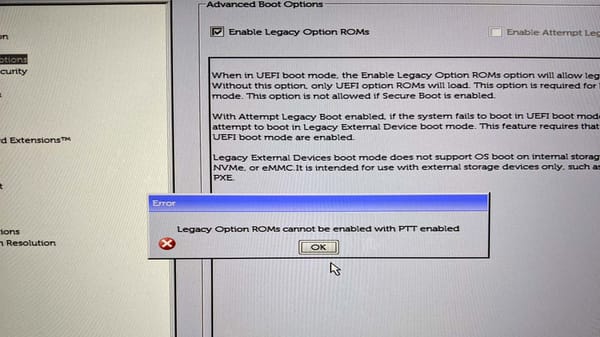
Legacy option ROMs cannot be enabled with PTT enabled
How to fix error: Legacy option ROMs cannot be enabled with PTT enabled on Dell PC. 1. Disable PTT on checkbox Go to Security -> PTT Security. Then disable PTT on checkbox. 2. Apply Apply new settings, and re-enable Enable Legacy Option ROMs checkbox If you like what you