Remove session count limitation for NVENC FFmpeg

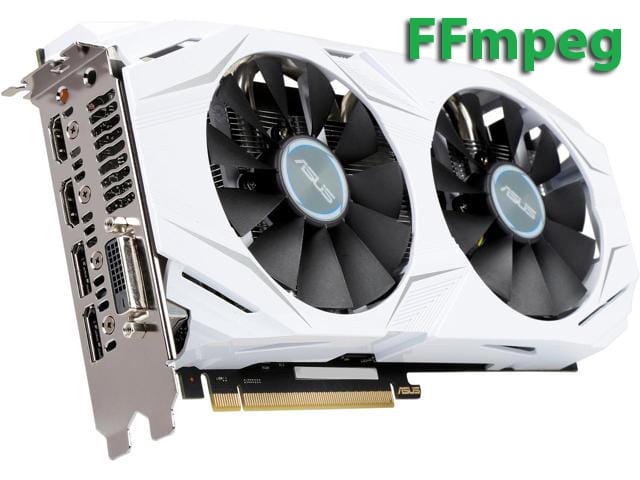
Nvidia GeForce products that are Kepler or Maxwell based are limited to two simultaneous video streams per system using NVENC hardware. Quadro products (Kepler or Maxwell) can encode more than 2 video streams.
How to around this limit and run more than 2 FFmpeg transcodings avoid “out of memory” error on Nvidia GeForce cards?
Requirements:
- Ubuntu 14.04
- Nvenc-compatible gpu
- Nvidia 375.39 driver
Install necessary software:
sudo apt-get install build-essential git yasm unzip wget sysstat nasm
Before proceeding installation NVIDIA drivers on Ubuntu you must disable Nouveau kernel driver. To disable the default Nouveau Nvidia driver follow guide: How to Disable Nouveau Nvidia Driver on Ubuntu
We need exact Nvidia driver version 375.39
Download driver from https://yadi.sk/d/yahf1Y-D3PJnzd, then install:
chmod +x ./NVIDIA-Linux-x86_64-375.39.run

./NVIDIA-Linux-x86_64-375.39.run
check driver driver installation :
nvidia-smi
Now we need patch GPU driver with patch from: https://github.com/keylase/nvidia-patch
mkdir ~/nvenc_backup

cd ~/nvenc_backup

cp /usr/lib/x86_64-linux-gnu/libnvidia-encode.so.375.39 ~/nvenc_backup/

wget https://raw.githubusercontent.com/keylase/nvidia-patch/master/patch.sh

chmod +x patch.sh

./patch.sh ~/nvenc_backup/libnvidia-encode.so.375.39 /usr/lib/x86_64-linux-gnu/libnvidia-encode.so.375.39

reboot
Install NVENC SDK
Get the NVENC SDK from the NVIDIA developer’s site.
wget http://developer.download.nvidia.com/compute/nvenc/v5.0/nvenc_5.0.1_sdk.zip

unzip nvenc_5.0.1_sdk.zip
Copy the NVENC headers to /usr/local/include to make it easier later
$ sudo cp nvenc_5.0.1_sdk/Samples/common/inc/*.h /usr/local/include
Download and install a light-weight library to communicate with the CUDA display driver
wget http://developer.download.nvidia.com/compute/redist/ffmpeg/1511-patch/cudautils.zip

unzip cudautils.zip

cd cudautils

make
Download and install all the open source libraries
1. Get x264.
$ git clone git://git.videolan.org/x264.git

$ cd x264
2. Configure x264
$ ./configure --disable-cli --enable-static --enable-shared --enable-strip
3. Build x264
$ make -j 10
4. Install x264
$ sudo make install
$ sudo ldconfig
Get FFmpeg
 $ git clone git://source.ffmpeg.org/ffmpeg.git
Download the NVIDIA acceleration.
$ wget http://developer.download.nvidia.com/compute/redist/ffmpeg/1511-patch/ffmpeg_NVIDIA_gpu_acceleration.patch

$ cd ffmpeg
Apply the NVIDIA acceleration patch. Note that this patch was created against the
git master commit:
commit b83c849e8797fbb972ebd7f2919e0f085061f37f
$ git reset --hard b83c849e8797fbb972ebd7f2919e0f085061f37f
$ git apply ../ffmpeg_NVIDIA_gpu_acceleration.patch
Configure FFmpeg with NVENC, NVRESIZE and x264 support.
$ ./configure --enable-nonfree --enable-nvenc --enable-nvresize --extra-cflags=-I../cudautils --extra-ldflags=-L../cudautils --enable-gpl --enable-libx264
Build FFmpeg.
$ make -j 10
Install FFmpeg.
$ sudo make install
$ sudo ldconfig
For testing FFmpeg transcode performance with nvenc and libx264 you can run:
time ffmpeg -y -i <mp4 input file> -vcodec nvenc -b:v 5M -acodec copy OUTPUT.mp4
time ffmpeg -y -i <INPUT.mp4> -vcodec libx264 -b:v 5M -acodec copy OUTPUT.mp4